PAECT Student Technology Showcase at State Capitol in Harrisburg

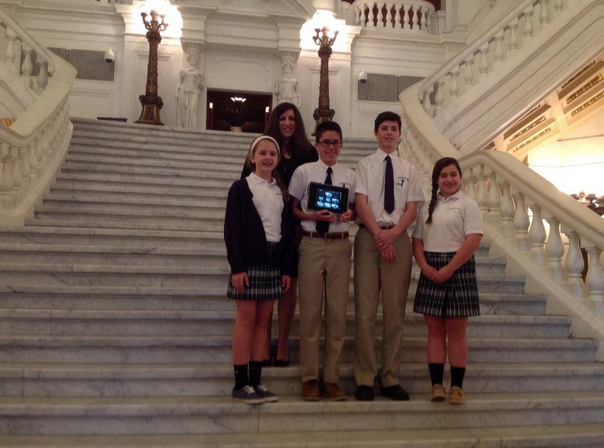
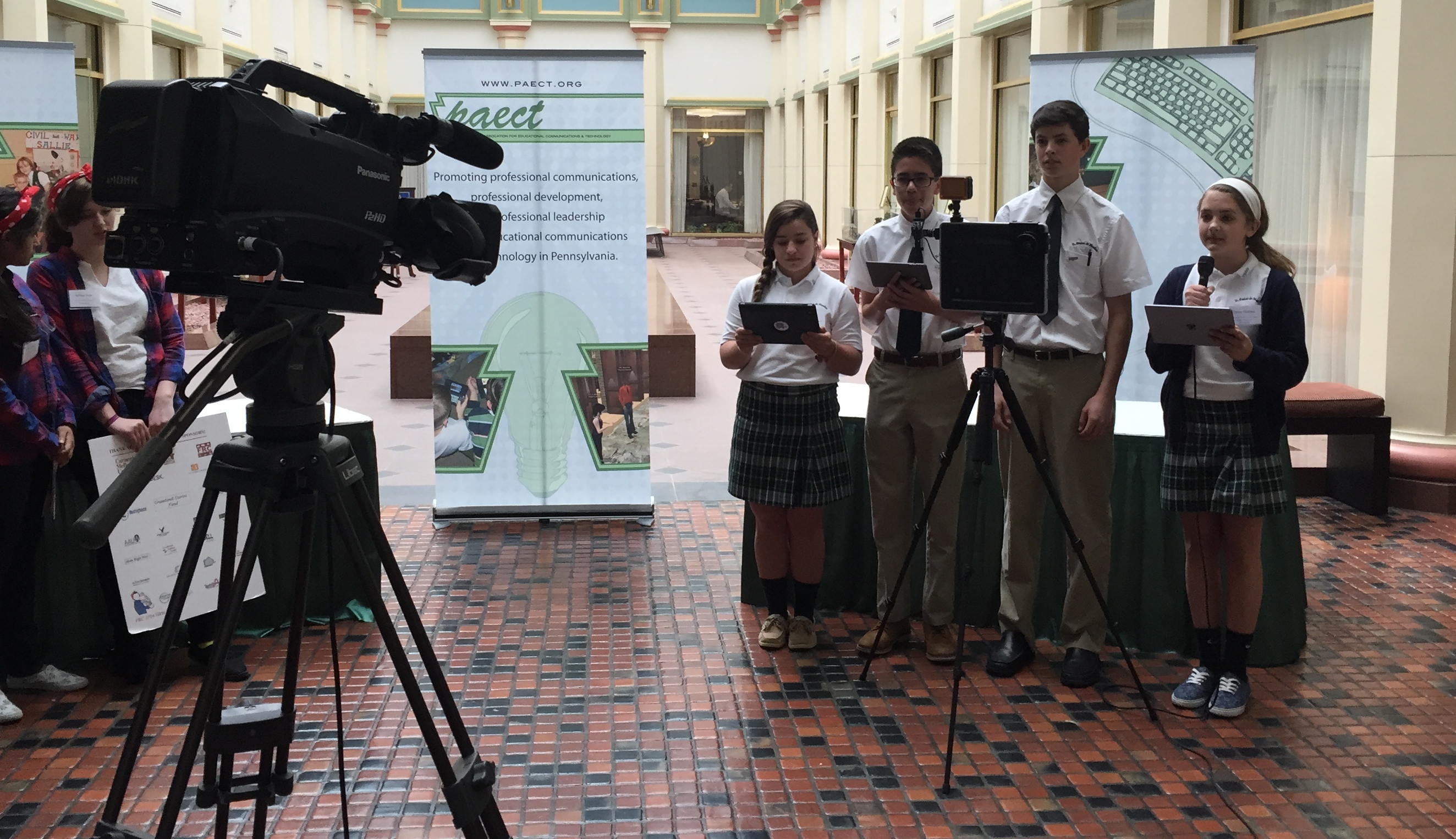
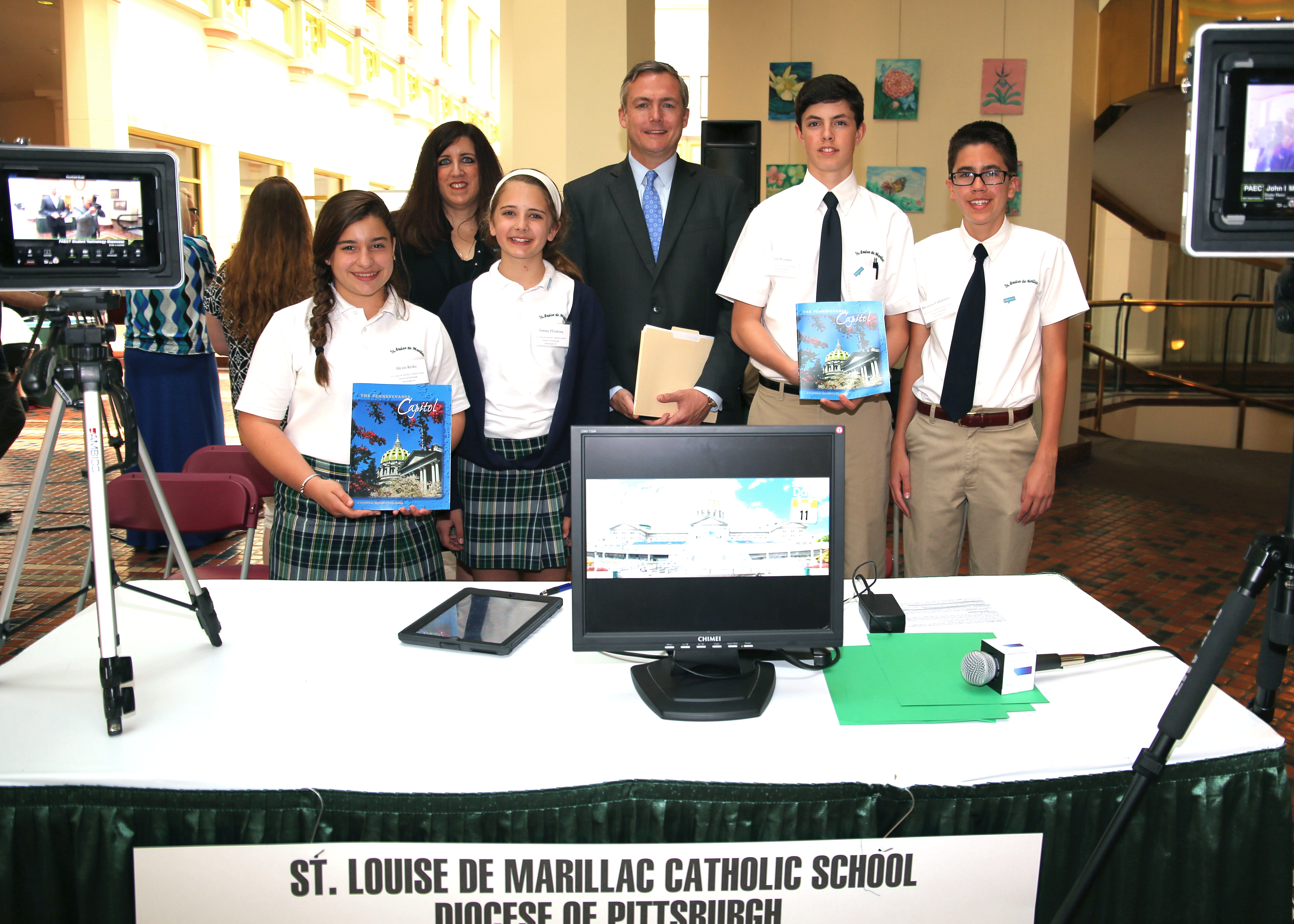
I was so proud of my students who represented St. Louise de Marillac Catholic School’s Technology Team at the 24th Annual Pennsylvania Association for Educational Communications and Technology (PAECT) Student Technology Showcase on Monday, May 11, 2015. The showcase, was held in the East Rotunda of the Capitol Building in Harrisburg. This is an annual event to present legislators and the public with the opportunity to learn how teachers are integrating technology into K-12 classrooms across the Commonwealth.

zee with studentssteps

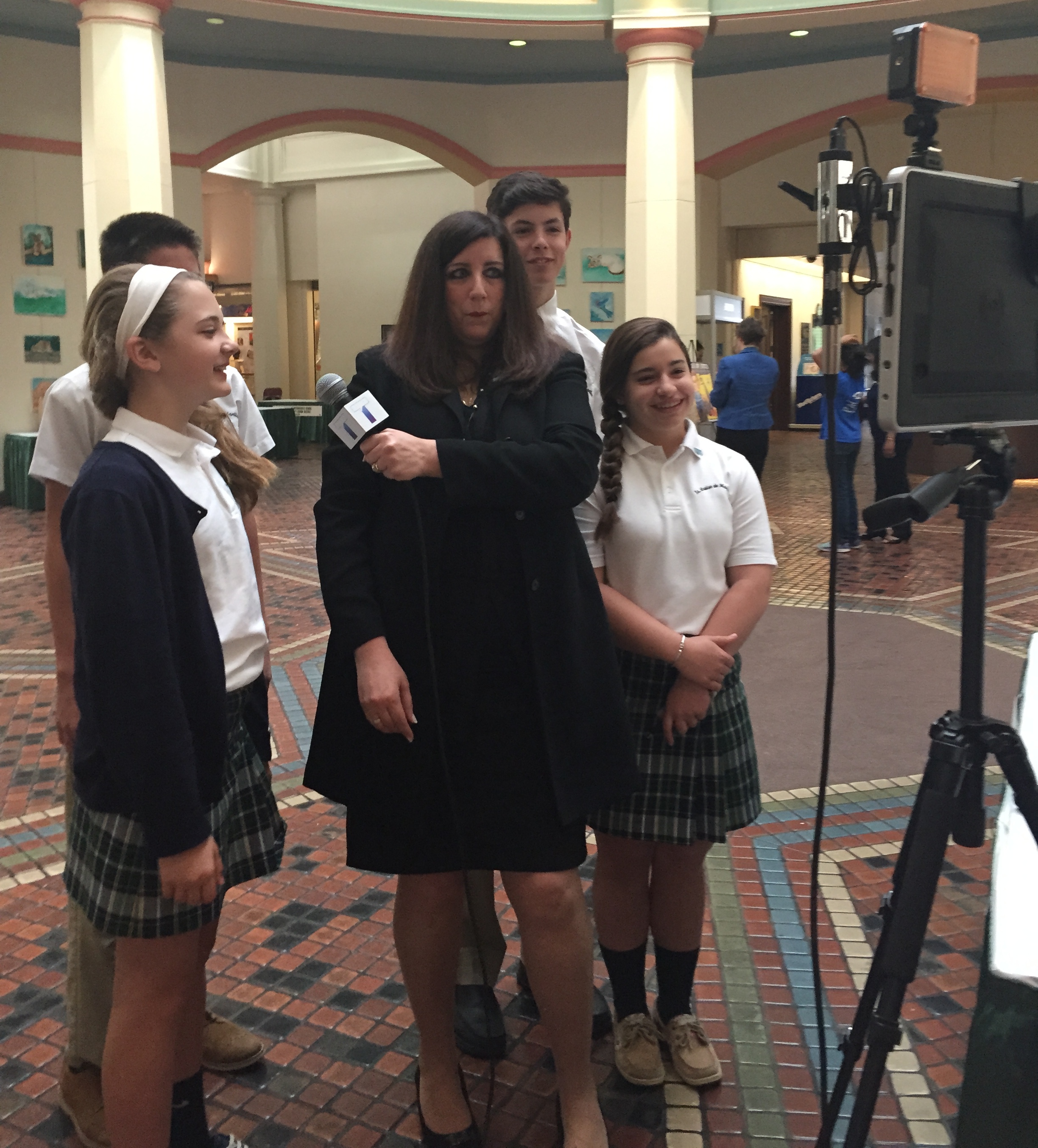
Emmy Ploskina (Grade 7), Alexis Riske (Grade 7), Brennan Valladares (Grade 8), and Sean Werner (Grade 8) presented how we have been using TouchCast an interactive video App for the iPad and how we have been using it with other tech tools such as ThePadcaster, green screens, microphones, and more to produce cross curricular, interactive video projects and school announcements.

looking in padcaster

You can see a sample of the student work from the showcase here: https://www.touchcast.com/stlnn/1fe2a53a02/?ref=stlnn&p=channel where they interviewed Senator Matt Smith along with other students and teachers at the showcase. The students also had the opportunity to visit other exhibits and to be “on air” for a livestream to describe their projects.

livestream

The livestreamed archive of the all the students who participated in the showcase will be posted here http://ccitv.cciu.org.

courtesy or Senator smith's office_4530-1
Photo directly above is courtesy of Senator Smith’s office.
Pictured left to right: Alexis Riske, Mrs. Zee Ann Poerio, Emmy Ploskina, Senator Matt Smith, Sean Werner, and Brennan Valladares.

Special thanks to McDonald’s for the MAC (Make Activities Count) Grant I received two years ago to purchase some of the equipment we used at this showcase.  (Middle school teachers of grades 5-8 can apply online for MAC Grants here: http://www.macgrants.com

Thank you to TouchCastEdu and  ThePadcaster  for their continued support and encouragement, and to PAECT, sponsor of the showcase. ( I am proud to be a member of PAECT.  I was honored at PAECT Teacher of the Year in 2014 and the organization had provided numerous opportunities for me to grow and learn as a teacher.  I encourage any teacher in PA to join this group and take advantage of the many benefits of membership.) Special thanks to the parents of these outstanding students for traveling to Harrisburg and allowing their children to participate in the showcase. Our student tech team is fantastic and I am proud to be their teacher.

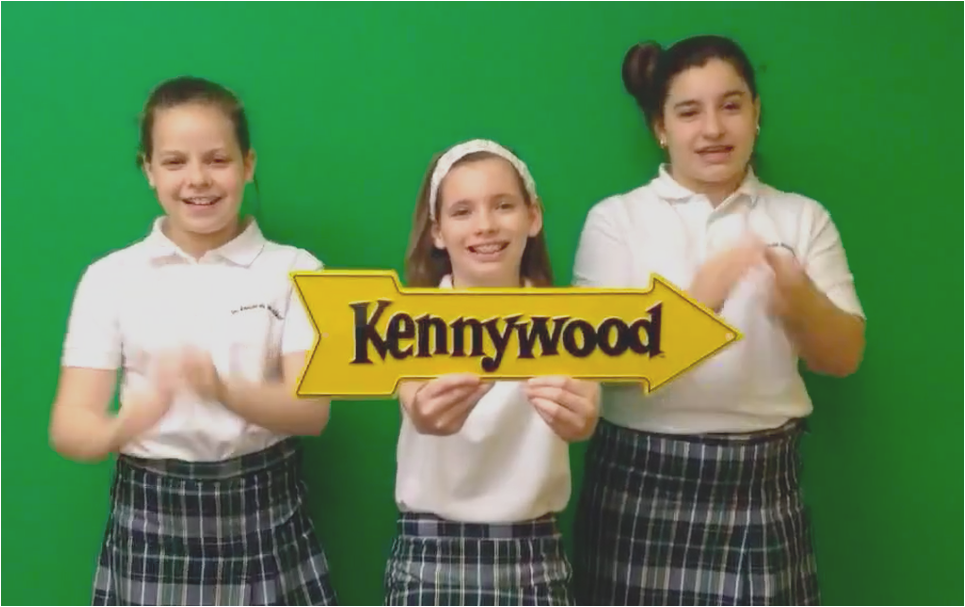
Vote for St. Louise – Kennywood Contest Video

Screen Shot 2015-04-28 at 6.15.03 PM

The St. Louise de Marillac School Student Technology Team is pleased to announce that their video was selected as one of the TOP 5 entries in the Kennywood Education Day Contest. Please tell all of your friends and family to vote for St. Louise de Marillac so that our Student Tech Team can win a trip to EDUCATION DAY at Kennywood this year.
Got to:
https://www.surveymonkey.com/s/8HN8KM7
1. Watch our video. (third one on the page)
2. Scroll down below the last video, there is a small box that says, “Which video is your favorite?”
3. Click the drop down arrow to the right and SELECT: St. Louise de Marillac School Pittsburgh, PA.
4. You will then see a confirmation that you voted.

Visitors may only vote for ONE VIDEO, per ENTRANT, per day.
Voting ENDS FRIDAY- May 1, 2015.

Educational Technology Fluency at CONTEXT 2015

The Context 2015 Conference held April 21-23, 2015, in Pittsburgh, Pennsylvania was an amazing opportunity to meet, connect, and learn from so many knowledgable and passionate educators. I attended on Wednesday and enjoyed hearing Illah Nourbakhsh welcome attendees in the Carnegie Museum of Art and update everyone on the fantastic work from teachers and students using CREATE Lab resources to connect with their communities and use technology in creative ways. A nice tie in to Earth Day, I especially enjoyed learning about the Lemonade Stand project where “young scientists” used digital data collected with the CATTFish, a device which measures water quality. Do you know what’s in your water?  These kids do; and they found a “sweet” way to educate others and build awareness. Check out out this video: https://www.youtube.com/watch?v=xHBOXeSF4IU

I was inspired by Keynote Speaker, Indira Nair. She discussed how technology at the root of the word means art and expression.  She advised us that “shared language leads to shared understanding.”  She also explained that technology education is “guiding [students] to thinking of and working in a bigger system with appropriate choices, ethics, languages, and voices.”  Her stories about her teaching experiences were entertaining and endearing. She gave an example of a high school student who asked a speaker at the end of his presentation on algae, “Who cares?” Teachers in the audience gave a little chuckle and Indira explained how she quickly rephrased the question for the presenter, saying, “What Joe means is…” But she went on to explain how she thought the student’s question was “very, very deep.” This powerful example stressed the importance of making meaningful lessons. She shared  how she would always “tell her students up front” what she was “trying to do” and that she “made sure her students CARE about and understand WHY” she was “trying to teach something and not  just WHAT she was teaching.” She left us with the same words she delivered to her students at the end of her courses, “I hope you leave with more questions than when you came in.” I would love to have been a student in her class!

We enjoyed a rainy Earth Day walk outside to CMU with a colorful umbrella parade. We were welcomed with hot coffee and dispersed to our choice of sessions or workshops. I enjoyed Riverpoint Academy teachers, Regan Drew and John Marshall, share examples of student’s using “real tools, to solve real problems, for real people.” I loved their way of introducing tools by leaving them out and allowing the student’s natural curiosity to lead them to learning about their uses and build on their own interests and talents.  Robert Bandao and Rick Malmstrom, from the Ellis School had a dynamic presentation on teamwork with collaborative strategies for integrating technology in creativity ways. Their presentation included a cross-cultural exchange with a school in Brazil as an an example of showing how technology makes it possible to expand beyond the walls of your classroom.

It was standing room only in the Tech Fluency Session, followed by a boxed lunch with a choice of sandwich, cookie, and the best potato chips, I ever tasted.  I enjoyed sharing ideas about CREATE Lab and the GigaPan at lunch with some out of state educators who work at the collegiate level. If you haven’t seen any GIGApans yet, check out http://gigapan.com/ as a resource for your classroom and look at http://www.cmucreatelab.org/projects/GigaPan/pages/GigaPan_Education for some great ideas for classroom use with CREATE Lab.

The Context Clinic was a wonderful opportunity to visit different stations to learn about tech fluency from experts!  There were teachers taking notes, brainstorming, sharing ideas and advice.

I joined Mac Howison (Sprout Fund), Gregg Behr  (Grable Foundation), Jim Denova (Benedum Foundation), and Megan Cicconi (Allegheny Intermediate Unit) in a Workshop on Idea Generation: Refining Projects for Grant Writing. The panel presented information on local grant opportunities and allowed time for small group work to craft or develop an idea that could lead to a grant proposal. As a classroom teacher, I was happy to share some grant writing tips including:

    1. Be creative and follow your passion when looking for grant opportunities.
    2. Look for that “shared language” that Indira Nair talked about in her Keynote.
    Take advantage of the resources and contacts that you have.
    3. Be an innovator.  Indira Nair also told us that “innovators, know one thing well, but can expand beyond it.”  Look for opportunities to collaborate with other groups to make connections for support and for project sustainability.
    4. If you don’t get what you need at the start, don’t be afraid to keep asking.  Be positive, and ask someone else for support or help.
    5. Say THANKS.  Explain to the group who offered support how you will help share their message.  Speak at conferences to share your work and spread the good news of your success.

The conference was a great experience and a way to connect with some old friends and make new friends. Thanks to conference team, you did a fantastic job.
And special thanks to the conference organizers and teams.  I hope everyone will continue the conversations started at the conference in in the words of Indira Nair, “I hope you leave with more questions than you came in [to the conference] with!”

Here is an Animoto with some photos from Wednesday at the conference.

Teaching With iPads Course to be offered at St. Louise

Screen Shot 2015-04-15 at 9.11.43 PM

This introductory iPad course is designed for classroom teachers to explore, practice and create content as it applies to the K-12 classroom. From basic management of the iPad to content creation, students will develop an understanding how the iPad can transform teaching and learning. For more details see:

http://pdcampus.org/teaching-with-ipads-st-louise-053015/

EdCampPGH

Screen Shot 2015-04-12 at 1.23.08 AM

It was a great day for EdCampPGH at Baldwin High School. I loved making some new connections to expand my PLN and seeing some of my Twitter friends in  person.  Session were great and I left with a Starbucks gift card! I had the opportunity to present a session on TouchCastEdu and I also interviewed some of the attendees and student volunteers. Check out the TouchCasts below:

Talking with Justin Aglio on PAECT radio: https://www.touchcast.com/magistrazee/paect_radio_at_edcamppgh/?ref=magistrazee&p=channel

See reactions to teachers checking out some TouchCast features from the TouchCastEdu Session:  https://www.touchcast.com/magistrazee/touchcast_edcamppgh/?ref=magistrazee&p=channel

Learn more about TeachBackApp from Jeff Ritter one of the Sponsors of #EdCampPGH https://www.touchcast.com/magistrazee/jeff_ritter/?ref=magistrazee&p=channel

Baldwin HIgh School Seniors’ Reactions to EdCampPGH

https://www.touchcast.com/magistrazee/baldwin_hs_seniors_at_edcamppgh/?ref=magistrazee&p=channel

Baldwin High School Seniors on EdCampPGH, Teachers at EdCamp, and Dr. Harold

https://www.touchcast.com/magistrazee/bhs_students_talk_edcamppgh_/?ref=magistrazee&p=channel

KTIs at EdCampPGH

https://www.touchcast.com/magistrazee/zee_and_rachelle_at_edcamppgh/?ref=magistrazee&p=channel

Creative Uses for TouchCast

Check out ways that you can use TouchCast in your classroom to engage your students. Announcements, language learning, storytelling, MineCraft, commercials for school events, and more. This is an interactive video, click or tap on the videos that POP up during the video.

http://www.touchcast.com/tca2015/ambassador_touchcast_zee

Check out Code.org and Attend a Workshop

If you participated in the HOUR OF CODE, continue the learning! I participated in a training certification program from Code.org in December of 2014. (Check out this short Animoto from the December workshop:

https://animoto.com/play/OfGNsgPkzgqVUEzxlMyQ1g

 ) It was a small group with big ideas and a fantastic opportunity for sharing. I jumped at the chance to HOST a similar event at St. Louise de Marillac Catholic School on Pi Day, March 14, 2015, so more teachers in the area could  benefit from the curriculum. Harvey Scribner of Code.org  trained both groups of teachers from the Pittsburgh Area on Code Studio.  I was happy to participate in the workshop in December and then host a workshop and share the great facilities we have at St. Louise de Marillac.

Check out the photos to see all the FUN at the St. Louise workshop!

https://animoto.com/play/30DuhS0bvA0WNnRgw1IYdg

PETE&C Conference

PETE&C
February 9, 2015 PETE&C
Pennsylvania Educational Technology Expo & Conference Hershey, PA 
Session Title: Hook Your Students with TouchCast 
Speakers: Zee Ann Poerio and Dr. Ayelet Segal 
Room: Cocoa 2 & 3 – Hershey Lodge 
Description: Add TouchCast App to your technology tacklebox. Use VAPPS, video apps, to provide the interactive elements that today’s learners want. Use built in sound effects, studio backgrounds, lower thirds, teleprompter, polls, quizzes, twitter feeds, and more to create professional looking, interactive projects to share globally. It’s FREE: a great catch. 

TouchCast: Hall Duty – Interviews with attendees in the Hall at PETE&C asking “What will you use tomorrow?”

http://touchcast.com/stlnn/hall_duty_with_magistrazee_at_petec_2015/?ref=stlnn&p=channel

ISTE – July 1, 2015

Wednesday, July 1, 1:15 pm–2:15 pm EDT

Title: TouchCast: Interactive Video Creation Tool – Reel It In for Your Students

Speaker: Zee Poerio

Description: Add TouchCast to your technology tackle box. Use it to Flip your Classroom with polls and quizzes, produce school news shows and include studio backgrounds, lower thirds, and more. Create professional looking interactive projects using VAPPS (video apps) to share globally. Project based learning at its best. Great catch. Free!
http://www.touchcast.com/education

March 30, 2015 – Tech & Learning Day

Screen Shot 2015-03-14 at 5.35.42 PM

March 30, 11:30 AM – 12:20 PM

Shady Side Academy

Hook Your Students with TouchCast

Add the TouchCast App to your technology tackle box. Use VAPPS, video apps, to provide the interactive elements that today’s learners want. Use built in sound effects, studio backgrounds, lower thirds, teleprompter, polls, quizzes, twitter feeds, and more to create professional looking, interactive projects to share globally. It’s FREE: a great catch.