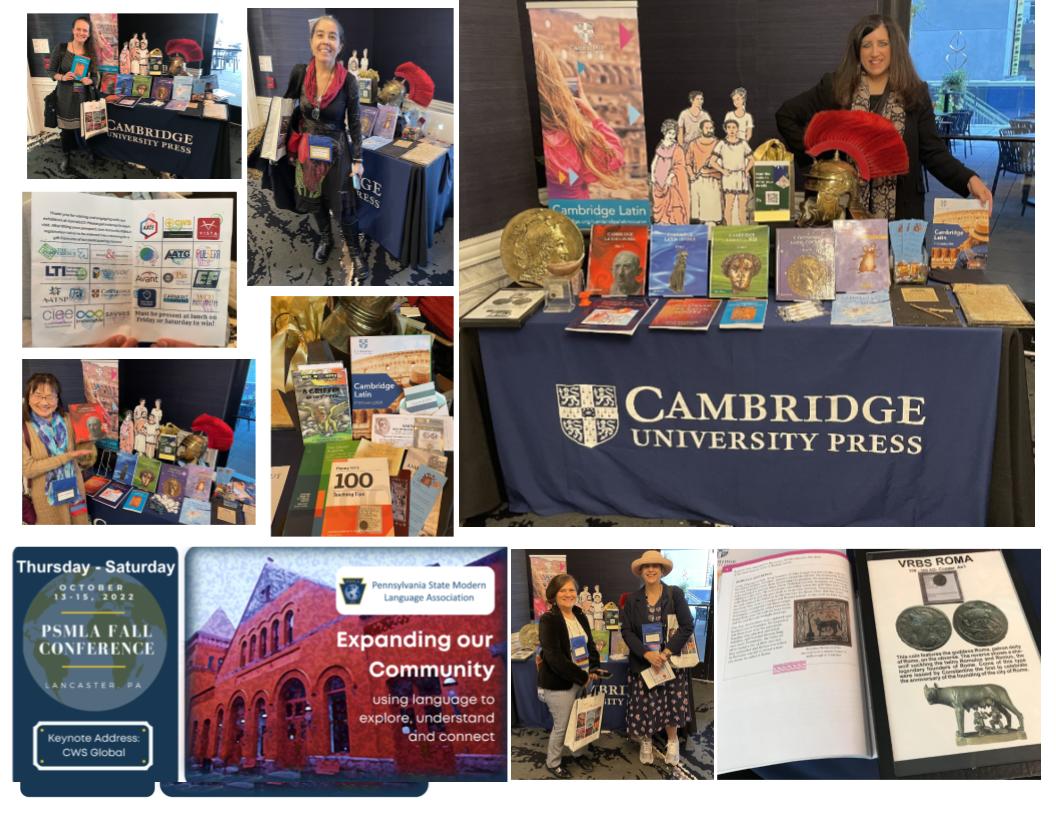
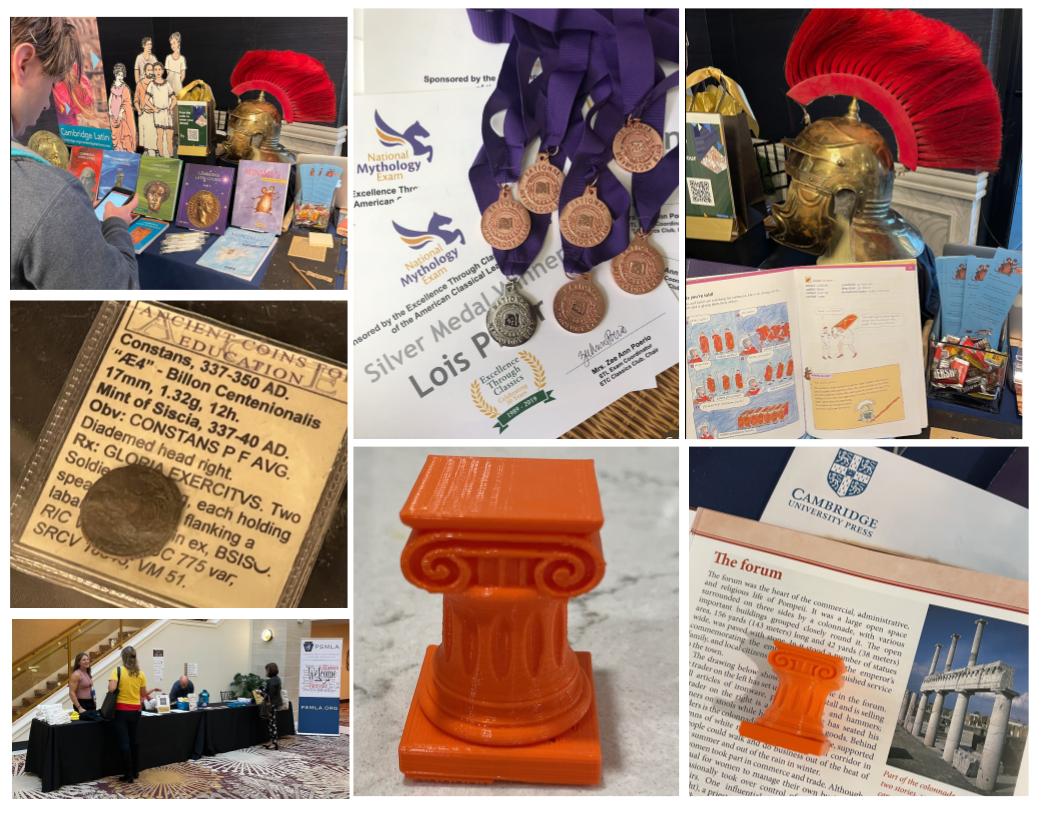
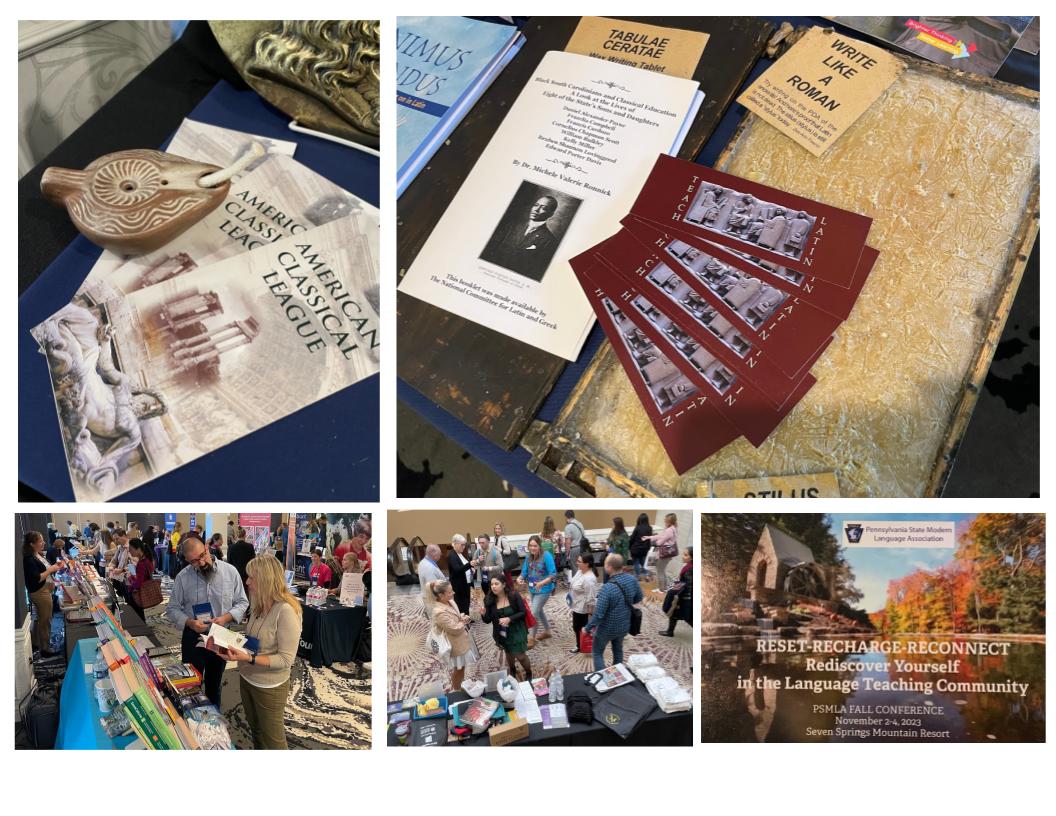
Special thanks to Cambridge University Press for the opportunity to be at their table in the Exhibit Hall and share ways that I have been able to incorporate Latin across the curriculum using Minimus (published by CUP) and being able to share information about NCLG, ACL, ETC, and the opportunities available to teachers. Additional thanks to Cambridge University Press, Ancient Coins for Education, and StickTogether (pixel art project which connects nicely to mosaics) for donating prizes for a table raffle. (Winner pictured, top right). Also, ACL member, Junko Yamamoto, was in charge of the exhibitors for the conference and she made sure we had a great location for the CUP table. At the event, I was able to connect with many teachers to promote Latin, distribute ACL brochures and NCLG bookmarks, and share information about the NCLG GRANTS as well as various Exams sponsored by ACL.
Throughout the conference, I posted to social media and tagged our Classics organizations. I also shared a copy of the booklet on Black Classicists by Dr. Ronnick and it was donated at the end of the conference to a teacher who was very interested in sharing it with her department. CUP also donated the books at the table and interested teachers stopped by at the close of the conference to pick up a book they wanted from the exhibit. The organizers of the conference wished to thank CUP for sponsoring a table this year, and thanked both CUP and ACL for sponsoring part of the appetizers for the anniversary year. There were many positive comments for the ideas that could be adapted for use with other languages. Next year’s conference is closer to Pittsburgh and I hope to have the opportunity to attend again.
(Read or just jump to the video below!) I knew it would be a matter of time before everyone would be wearing face masks, so I was shopping online earlier this month for the perfect mask. Everywhere we look these days we are constantly reminded about the COVID-19 pandemic and those blue medical masks really put that reminder “in your face” and “on your face.” I found that some people were making masks with patterns on them which were a little more interesting. A cool leopard print or one with a robot pattern could put some style and “fun” in the situation but I really wanted a plain black one. I guess a lot of other people were thinking the same thing, since the best of the black masks that I found online were out of stock or backordered until MAY.
While I was searching online, a good friend texted me and wrote that she was making masks and asked if I needed one. That was so timely and kind. I really appreciated her thoughtfulness! She even made me a black one. (Thanks, Yanira!) I am so grateful. I did wear it outside a couple times, but I still wanted something that was more like an article of clothing.
I saw people using bandanas and scarves, but heard that heavier fabric or t-shirt like material provided a better barrier. I am sure that with this new situation, fashion designers are already working on patterns for clothes that have built in masks. I can imagine some beautiful turtle necks or hoods being designed to meet this need, but in the mean time, I still wanted something now that didn’t look like a mask. I remembered a cartoon that used to be included in Bazooka bubble gum when I was a kid. There was a character named Mort who wore this super long red turtle neck that was always pulled up to his nose and covered his mouth. I thought it was an interesting look, and that was exactly what I wanted and it could work. I have an old sewing machine and thought, I could probably sew a tube shape from an old t-shirt and wear it like a long turtleneck. I put the idea on a back burner especially since it involved pulling out the sewing machine.
Today, the CDC recommended that if you go outside you should wear a mask. So, now was the time. I pulled out a couple t-shirts, but before I got the sewing machine out, I figured, I could make a mask with out any sewing at all. It definitely worked and now you can use try it. Protect yourself during this outbreak, save money, repurpose a t-shirt with a few snips from a pair of scissors, and instead of just parading around with another reminder of the pandemic, you can make a fashion statement with your face mask. I’ve got you covered! Watch the video:https://touchcast-ambassadors.touchcast.com/s/13iq8u1qr3
Video Filmed with TouchCast Studio App and Padcaster equipment using an ipad. )
Repurposed t-shirt becomes a (No-Sew) facemask with just a few snips from a pair of scissors. Make yours before your next walk outside!
It’s an PANDEMIC and everyone one will be at home for the next two weeks or more to avoid the spread of the Coronavirus. Last week, it was a whirlwind of emails and meetings at the end of the week to update us on the situation and how we would proceed with the school year. When we finally received notice that that we would be moving our instruction to FID – Flexible Instruction Days, we worked to get a website and resources in place for parents. Teachers across the country have been online reading, curating, and sharing as much as possible about how to switch to online instruction. I have been amazed at how generous people have been sharing information to help others prepare for this sudden change to our teaching practice.
I am a member of ISTE https://iste.org/ and our state Ed Tech group PAECT. There have been great resources shared from ISTE on (COVID-19) and online learning. I wanted to share this resource with you: https://www.learningkeepsgoing.org/
Also, I would like to invite all the teachers to join TWITTER if you haven’t already. There are many wonderful resources and ways to connect on Twitter. For Catholic School teachers across the country, on Saturday mornings you can join at 9:00 AM and follow the #CatholicEdChat. It is a great way for Catholic School teachers to connect.
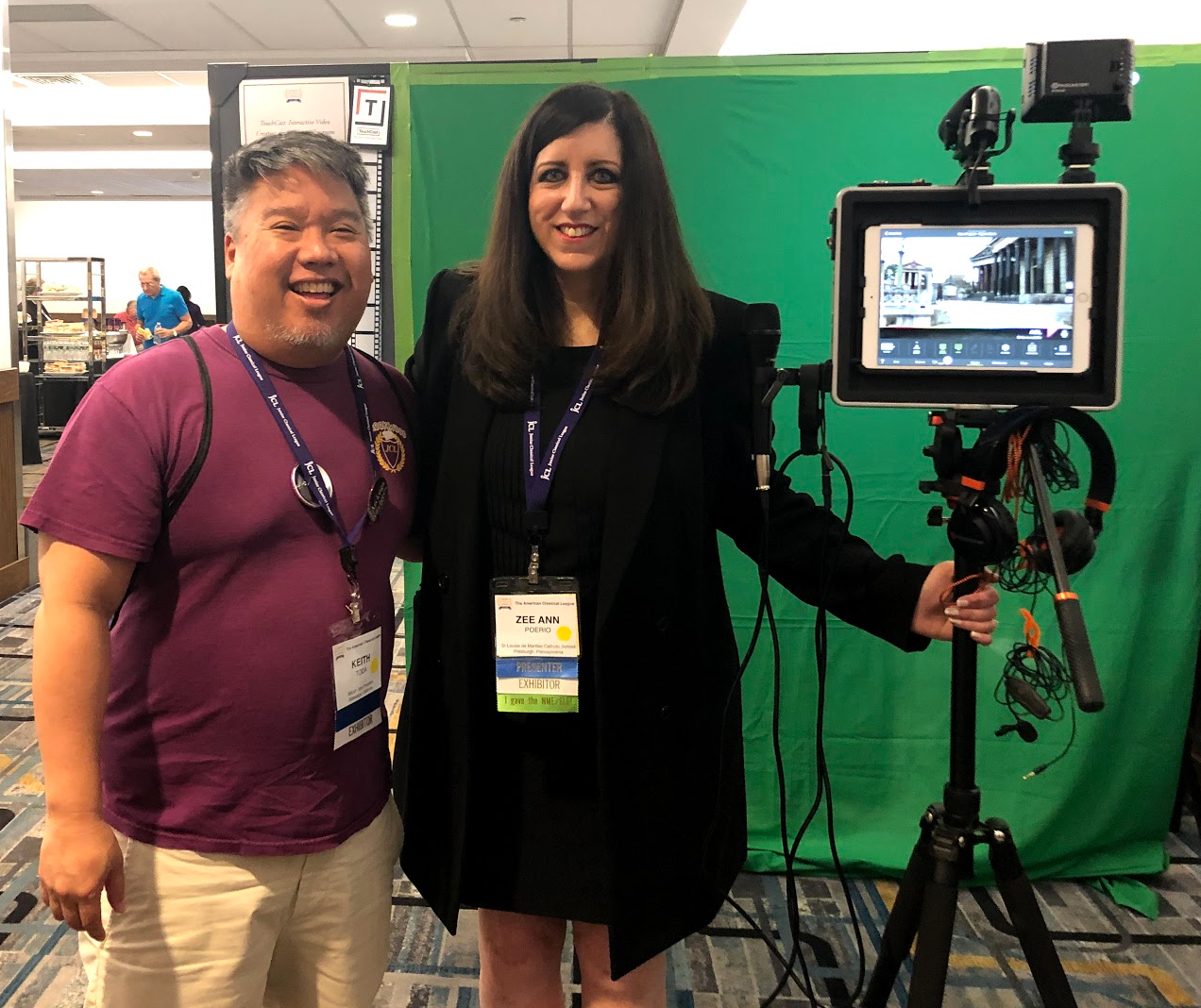
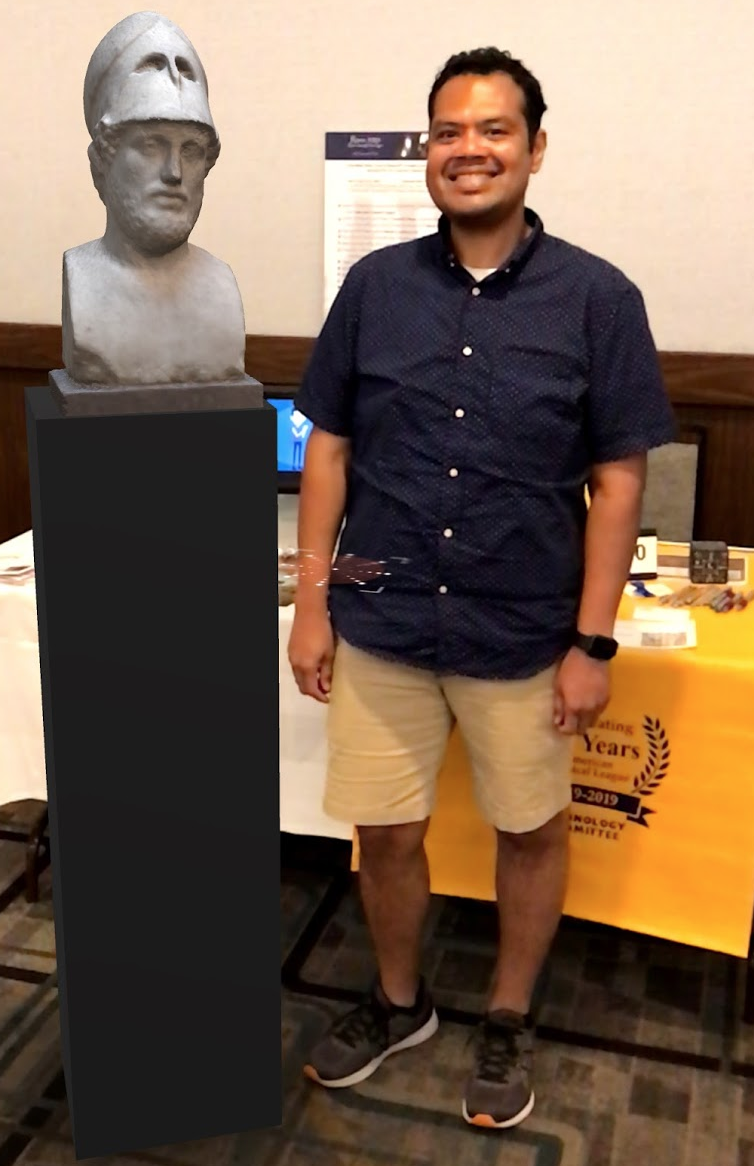
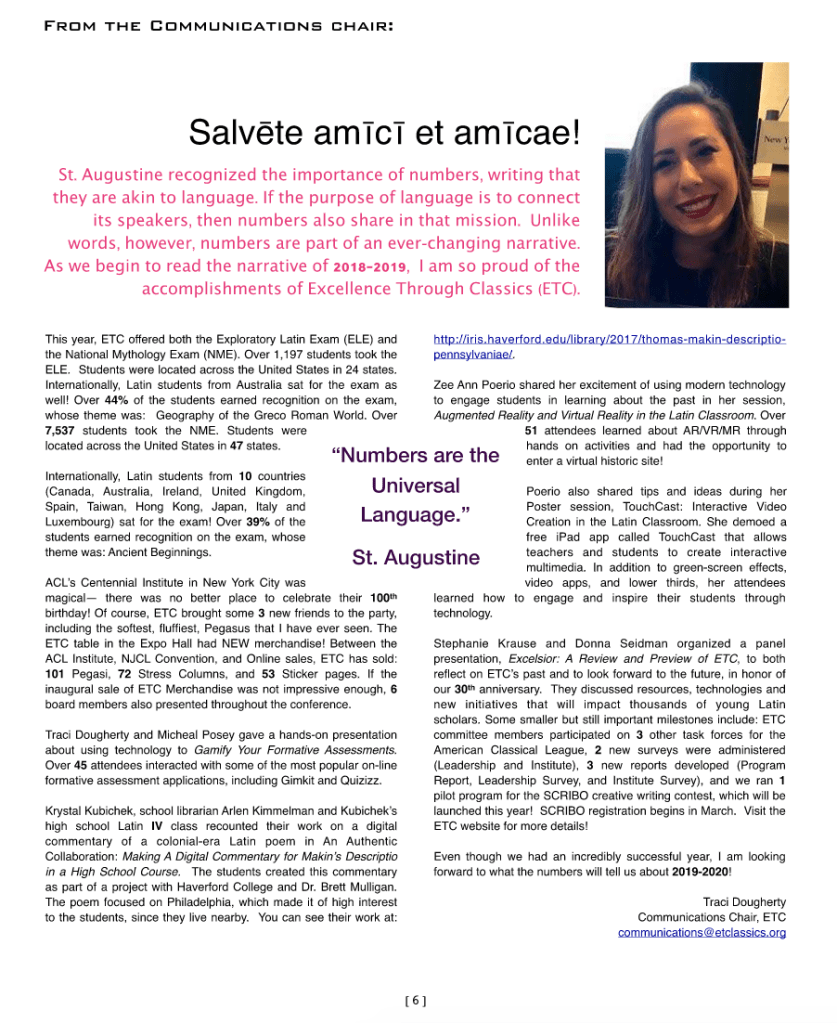
Everyone knows how much I love presenting at conferences. This year at the ACL Summer Institute, I had the opportunity to present two different sessions to a group of Latin teachers. I shared the TouchCast Studio App which we use across the curriculum and to produce our morning announcements. I also presented a session on AR and VR and some ideas on how it can be used in the Latin Classroom. I shared a variety of VR googles including Google Cardboard and SnapVR googles. My favorite AR item is the Merge Cube where you can expereince AR in the palm of your hand with the Merge Cube. Below are some photos from the sessions followed by an article from the ETC Newsletter, PRIMA, written by Traci Dougherty, ETC Communications Chair, about presentations at ACL this summer presented by the ETC Board members.
Here is my vignette in Quotes for EDU a book with a collection of quotes and stories from Teachers compiled by good friend, teacher, colleague, Rachelle Dene Poth.
It’s hard to believe that I have been teaching for 22 years and today was my 23rd first day of school as a teacher. It’s always exciting to start a new school year but it sure is tiring at the end of that first day! I am looking forward to a great year in the STREAM lab and I one of my goals for this year is to add more “E” for engineering activities. I jumped right in with that today. It was interesting to see how the students would react to doing “unplugged” activities in the space we still call the “computer lab.”
In the past, there were times I lead unplugged or NON screen activities in the “STREAM Lab” and there were actually younger students who were so disappointed that they “didn’t get to use the computers” that day that they shed some tears! Also, I understand the need to have a balance with screen time want the students to see that we can still learn in the STREAM Lab without screens sometimes. I am probably more guilty than a lot of my students for how much time I spend on computers or looking at screens. I am the computer teacher after all, but I do all of my work on the computer or take photos with my phone, record and edit videos, read blogs, articles, books, participate in webinars and online meetings as a way to learn something new everyday. But I do understand the need for spending time with family, friends, and others face to face and being involved in other activities. ( I do like to walk and shop, so I do get out of the house and away from my screens, but I know I could do better as my own family tells me I need to practice what I preach!) With that being said, I really love Screen Free Week . Mark your calendars and celebrate May 4-10, 2020 and learn more here: https://www.screenfree.org.
Back to our day trying some engineering challenges…
Check out KEVA planks! http://kevaplanks.com is a great website and it has fantastic resources for teachers. I ordered KEVAplanks for our STREAM Lab just by reading about them on their website (during my hours of screen time!) and never really saw them in advance, but they looked great, I loved the art, math, problem solving, collaborative aspect of the KEVAplanks and I really wanted something that would add that engineering component to the STREAM Lab. From what I could see on the site, KEVAplanks would be perfect! When they arrived, I couldn’t stop building with them myself. I loved the challenge cards and looking for different solutions to the problems presented. Plus, I could use these in my Latin/Classics course that I teach with 7th and 8th grade to build catapults, historical models of ancient building, columns, and more. I also found it was very relaxing to build with the Kevaplanks. I need to add Calm app in the background, and I’ll really have a nice activity going for everyone. (Check out https://twitter.com/calm and #Calmforschools on Twitter to add more mindfulness activities to your classroom. You can sign up for the Calm for Schools initiative and have access to the entire app.)
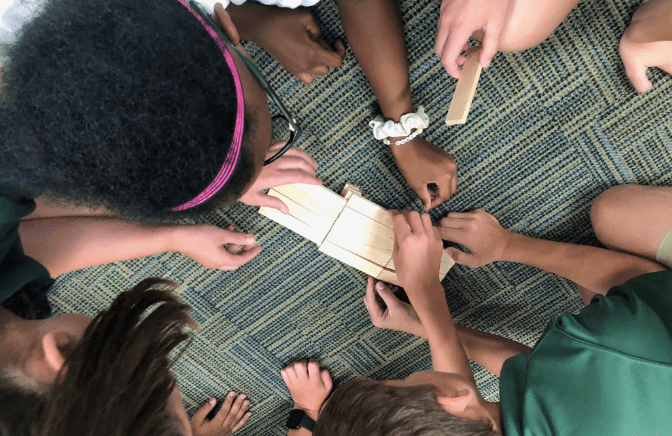
With the students today, I tried the KEVAplanks “Build a bridge” challenge using 20 KEVAplanks. I cut strips of blue felt to distribute for the students to use to represent the “river” or “water under the bridge”. The students tried lots of different techniques to build. I gave them NO introduction to using the planks and wanted to observe how they would approach the challenge. The first group laid a plank right on top of the water. I told them the plans couldn’t touch the water. Another group did a great job but the bridge planks weren’t flush across the top. So I had to tell them to image that a car had to drive over what they build. That also helped so they didn’t build “steps” up to the ramp of their bridges. It was interesting to watch how some of the students figured out that they could use the edges of the planks to help line up the edges and sides of the planks they were placing. this was a great first activity. The students wanted to do more, but I only see them for a 40 minute period, so the next challenge will have to wait until next week.
Be sure to follow @KEVAplanks on Twitterwhere they post wonderful challenges each week to try.
Our on screen activities will include classroom blogs, vlogs, and video projects to share. In addition to my teaching responsibilities, I also help trouble shoot tech issues in-house for the school and work with our technology support company as the liaison. With the 1:1 Chromebook program for grades 6 – 8 1 and new devices and video equipment added this year, I want to take advantage of our new infrastructure updating that was completed over the summer. I am happy to report we had no wifi or connectivity issues at all today and this was amazing. The investment was well worth it.
I am also looking forward to more collaborative work with my colleagues at school and beyond the walls of my school. I also want to share more on Twitter, get back to blogging, and continue participating in conferences and organizing PD sessions. I also want to have my students blog or vlog and I plan to share some of the tools we are trying. Stay tuned and thanks for reading! Let me know if you have questions. Please in the comments if you have used KEVAplanks and your favorite activities. I can’t wait to share more with you!
STL Recognized As Model for Media Use at K-8 Level
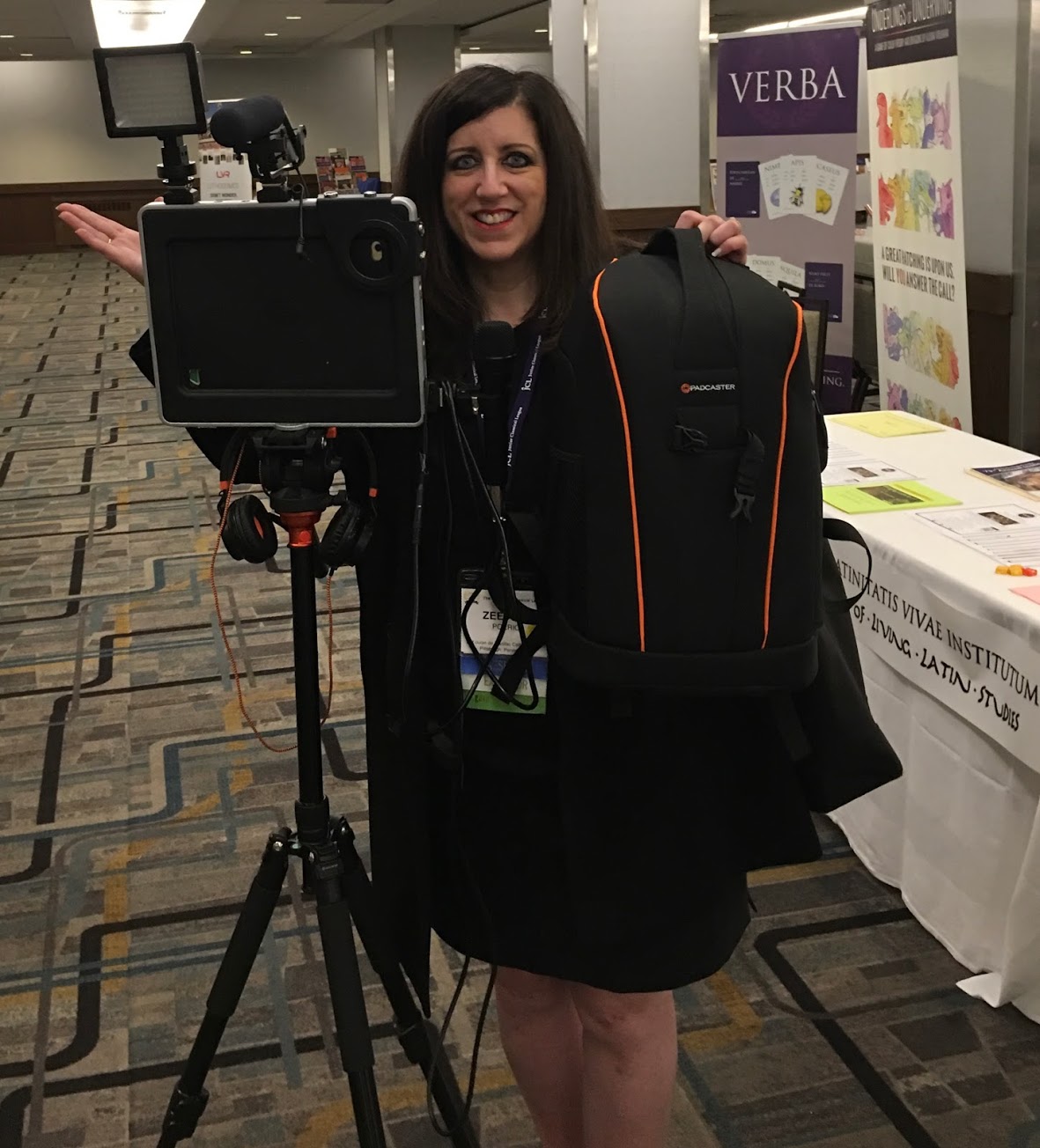
In February, Padcaster, a company the developed products to transform your iPad or smartphone into a mobile studio, visited St. Louise de Mariillac School to record a Case Study to share how we are using the equipment for our morning announcements and more. Zee Ann Poerio, Computer k-8 STREAM Teacher was named a Padcaster Distinguished Educator and has been sharing her work online and presenting at educational conferences This summer she will present Padcaster (equipment) and TouchCast (the APP we have been using with the iPads ) at the International Society for Technology in Education (ISTE) conference in Philadelphia and for the American Classical League (ACL) Summer Institute in New York City. “Padcaster is a complete professional studio which empowered my students’ learning, helped them to develop 21st century skills, and gave me the perfect tool to incorporate the ISTE standards across the curriculum. (Creativity and innovation, Communication and Collaboration, Research and Information Fluency, Critical Thinking, Problem solving and Decision making, Digital Citizenship, and Technology Operations and concepts). Zee Ann Poerio



 zeepoerio